Transform photos into ASCII art with real-time editing and customization options
Transform photos into ASCII art with real-time editing and customization options
Vote (6 votes)
Program license Free
Developer sourceforge
Version 2.0.9.6
Works under Windows
Vote
(6 votes)
Developer
sourceforge
Works under
Windows
Program license
Free
Version
2.0.9.6
Pros
- Fast, automatic conversion of images to ASCII art
- Extensive real-time editing options and previews
- Supports color and monochrome output formats
- Customizable character sets and fine-tuned controls
- Lightweight and quick to install
Cons
- Small thumbnail for area selection can hinder precision
- Interface may seem technical to some casual users
Convert images to striking ASCII art with real-time customization.
Overview of Ascgen
Ascgen is a dedicated application for transforming visual images into ASCII art, the creative practice of depicting pictures using characters from the ASCII code set. With a focus on both usability and flexibility, Ascgen streamlines what can otherwise be a painstaking manual process by automating conversions and providing extensive tools for users to refine and experiment with their output.
Features and Interface
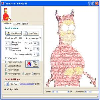
Ascgen offers a simple, efficiently designed interface that caters to both newcomers and enthusiasts of ASCII art. Images can be quickly loaded in popular formats such as JPG, PNG, or BMP. The main window presents the ASCII output in real time alongside a preview of the original image, allowing users to immediately see the effects of their tweaks.
The control panel is robust, offering options for adjusting brightness, contrast, sharpening, dither levels, and character size. Users also have the power to customize the character ramp, select fixed or variable-width fonts, and toggle between black-on-white or white-on-black output styles. A convenient toolbar makes choosing the valid character set straightforward, letting artists experiment with the symbols used to render images.
Editing and Export Options
The conversion process produces ASCII art that can be saved as plain text files or as rendered image formats. Color or black-and-white outputs are both supported, widening the creative possibilities. Users preparing pieces for web publication or physical prints can easily do so, as printing is integrated directly within the program.
Real-time area selection and output updating mean adjustments take immediate effect, which is particularly valuable when refining the result for optimal clarity or visual appeal. Right-click context options and customizable display settings further enhance workflow.
Performance and User Experience
Ascgen is lightweight and responsive, processing images swiftly regardless of their size or complexity. New updates have resolved previous stability issues and have improved resource efficiency and reliability. Properties such as sharpening and dithering introduce subtle quality controls for users seeking highly detailed reproductions. The area selection tool, while functional, features a relatively small original image thumbnail, making precise selection a bit challenging on some displays.
The application has also expanded its feature set to satisfy technical users. Scriptable settings give advanced users ample control over aspects like character ramp generation, dithering randomness, and image orientation.
Summary
Ascgen provides a specialized and highly functional environment for generating ASCII art from photographic and graphic sources. Its real-time editing, layered settings, and flexible export options make it appealing to artists, creative enthusiasts, and anyone interested in exploring ASCII imagery.
Pros
- Fast, automatic conversion of images to ASCII art
- Extensive real-time editing options and previews
- Supports color and monochrome output formats
- Customizable character sets and fine-tuned controls
- Lightweight and quick to install
Cons
- Small thumbnail for area selection can hinder precision
- Interface may seem technical to some casual users